Computing
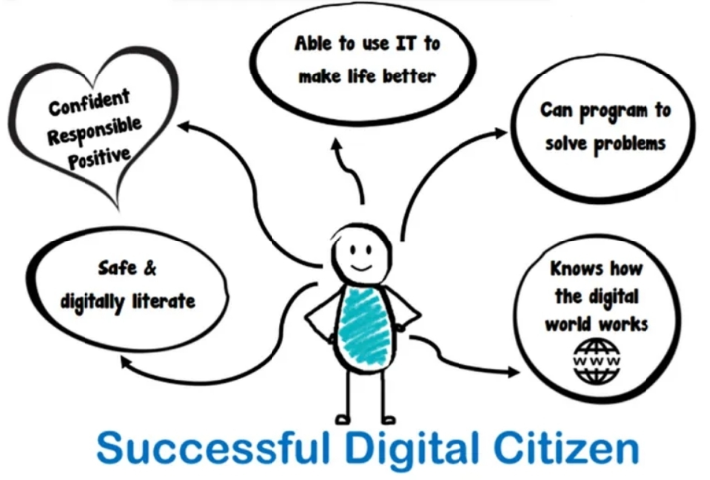
At Lowerhouses CE Primary School, our computing curriculum is designed to equip pupils with the knowledge, skills, and confidence they need to thrive in an ever‑changing digital world. We want children to become responsible, creative, and critical users of technology, able to apply their computing skills across the wider curriculum and in everyday life.
Through weekly lessons, taught using the Kapow Primary scheme, pupils build their understanding of computing systems, programming, data handling, and digital media. Online safety is embedded throughout, ensuring children know how to protect themselves and others when using technology.
To make progression clear and accessible, each computing topic page now includes a Learning Journey. These journeys show how knowledge and skills develop step by step from EYFS through to Year 6, helping children, parents, and staff see the pathway of digital learning. They illustrate how pupils move from early mouse and keyboard skills to programming in Python, from simple data handling to exploring big data, and from basic digital imagery to creative media projects.
By following these journeys, pupils can see how their learning builds year on year, supporting independence, teamwork, and problem‑solving. By the end of Key Stage 2, our children are confident digital citizens who can use technology safely, creatively, and effectively.
Computing Learning Journey
💡 Intent
-
Develop pupils’ confidence in using technology across a range of contexts.
-
Ensure children understand the online world and how to stay safe.
-
Build knowledge, skills, and understanding progressively from EYFS to Year 6.
-
Encourage children to become responsible, creative, and critical users of digital tools.
-
Provide opportunities for pupils to apply computing skills across the wider curriculum.
⚙️ Implementation
-
Computing is taught through the Kapow Primary scheme, which provides structured coverage in line with the National Curriculum.
-
Weekly computing lessons are taught by class teachers from EYFS to Year 6.
-
Skills and knowledge are built upon each year to deepen understanding.
-
Cross‑curricular opportunities allow pupils to apply computing skills in different subjects.
-
Practical activities encourage teamwork, independence, and problem‑solving.
-
Children learn about online safety regularly, ensuring they understand how to protect themselves and others.
🎯 Impact
-
Pupils demonstrate high levels of engagement and enjoyment in computing lessons.
-
Children acquire a wide range of skills, knowledge, and understanding in all areas of computing.
-
Pupils can apply their learning across the curriculum in other subject areas.
-
At the end of lessons, children may print their work; at the end of a series of lessons, teachers record outcomes of learning.
-
By the end of Key Stage 2, pupils are confident digital citizens who can use technology safely, creatively, and effectively.
🧰 Computing Resources for Parents
| 📖 Category | 🌐 Resource | 📝 Description | 🔗 Link |
|---|---|---|---|
| Online Safety | NSPCC – Online Safety | Guidance for parents on keeping children safe online. | https://www.nspcc.org.uk/keeping-children-safe/online-safety |
| Childnet | Resources, guides, and videos to help families navigate online safety. | https://www.childnet.com | |
| ThinkUKnow | CEOP’s official site with age‑appropriate online safety activities. | https://www.thinkuknow.co.uk | |
| Coding & Skills | Scratch | Free coding platform for children to create games, animations, and stories. | https://scratch.mit.edu |
| Code.org | Fun coding tutorials and activities for all ages. | https://code.org | |
| Barefoot Computing | Parent guides and activities to support computing concepts at home. | https://www.barefootcomputing.org | |
| General Support | BBC Bitesize – Computing | Interactive lessons, videos, and practice activities for KS1 and KS2. | https://www.bbc.co.uk/bitesize/subjects/zvnrq6f |
| National Online Safety | Guides for parents on apps, games, and digital trends. | https://nation |